Can your PC
run it?
Drop your DxDiag file. Get a component by component verdict on any PC game in seconds. No install, no guessing.

New here? Here is how it works in 5 steps
-
 1
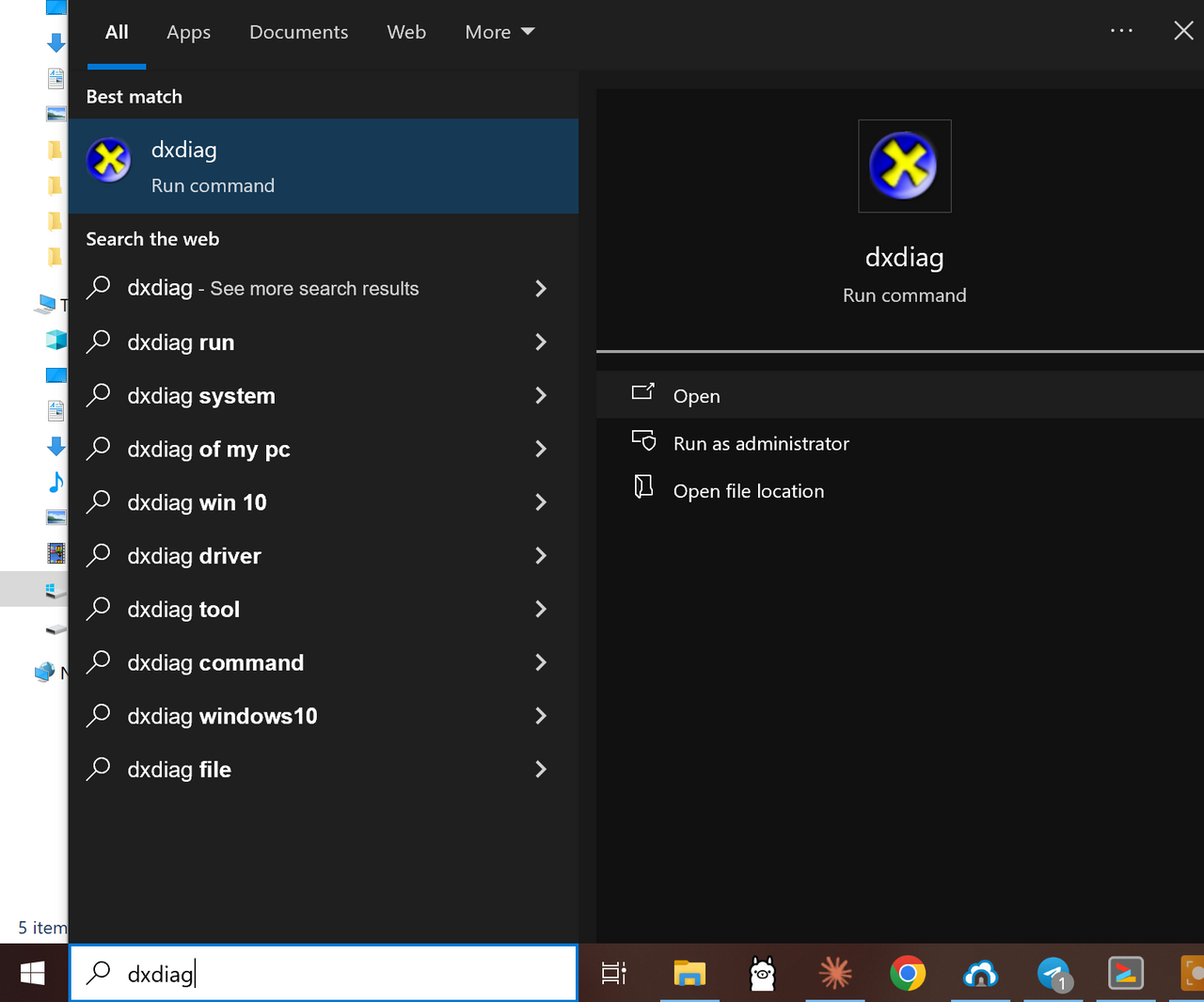
1Open Windows search and type dxdiag
Type dxdiag into Windows search and press Enter to open the DirectX Diagnostic Tool.
-
 2
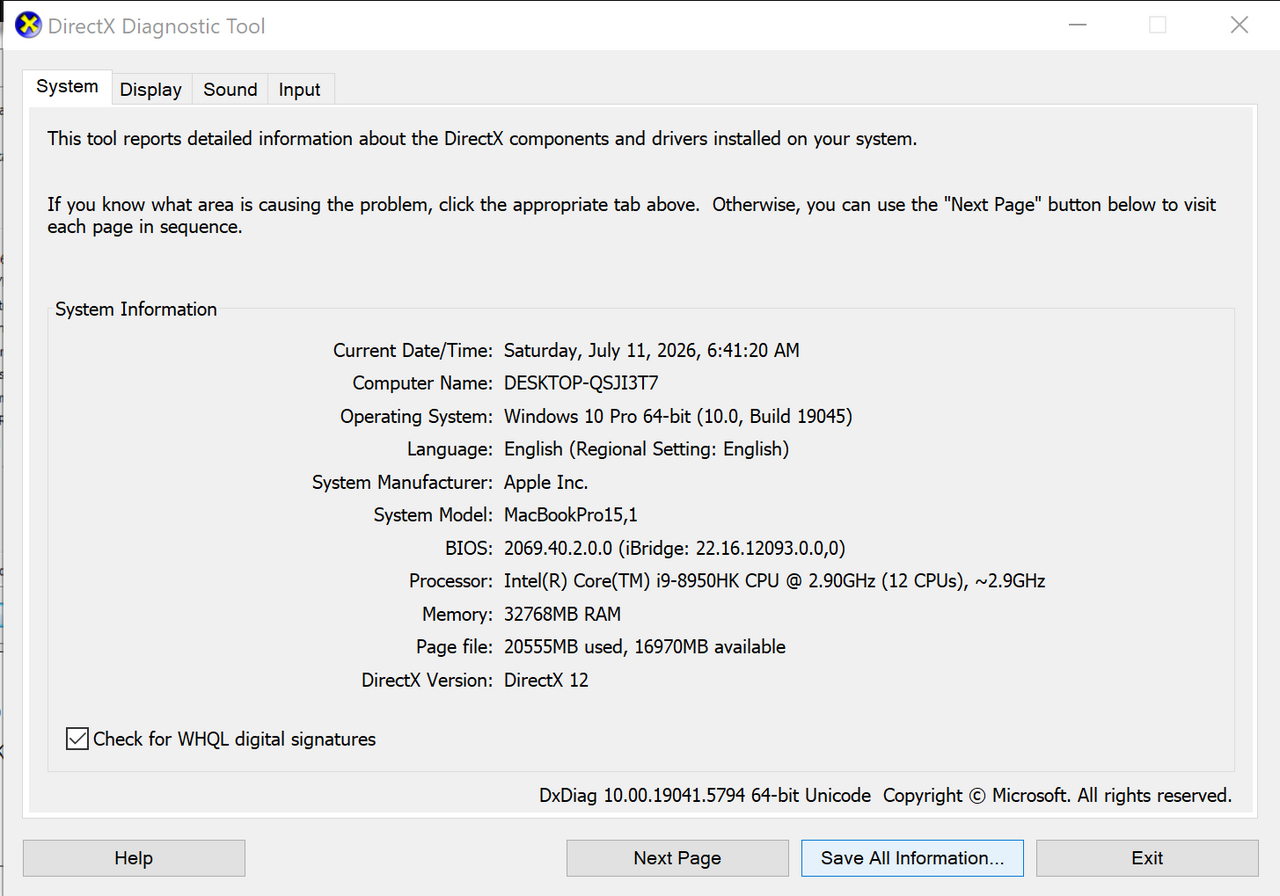
2The tool reads your hardware
The DirectX Diagnostic Tool opens and reads your processor, memory, and graphics.
-
 3
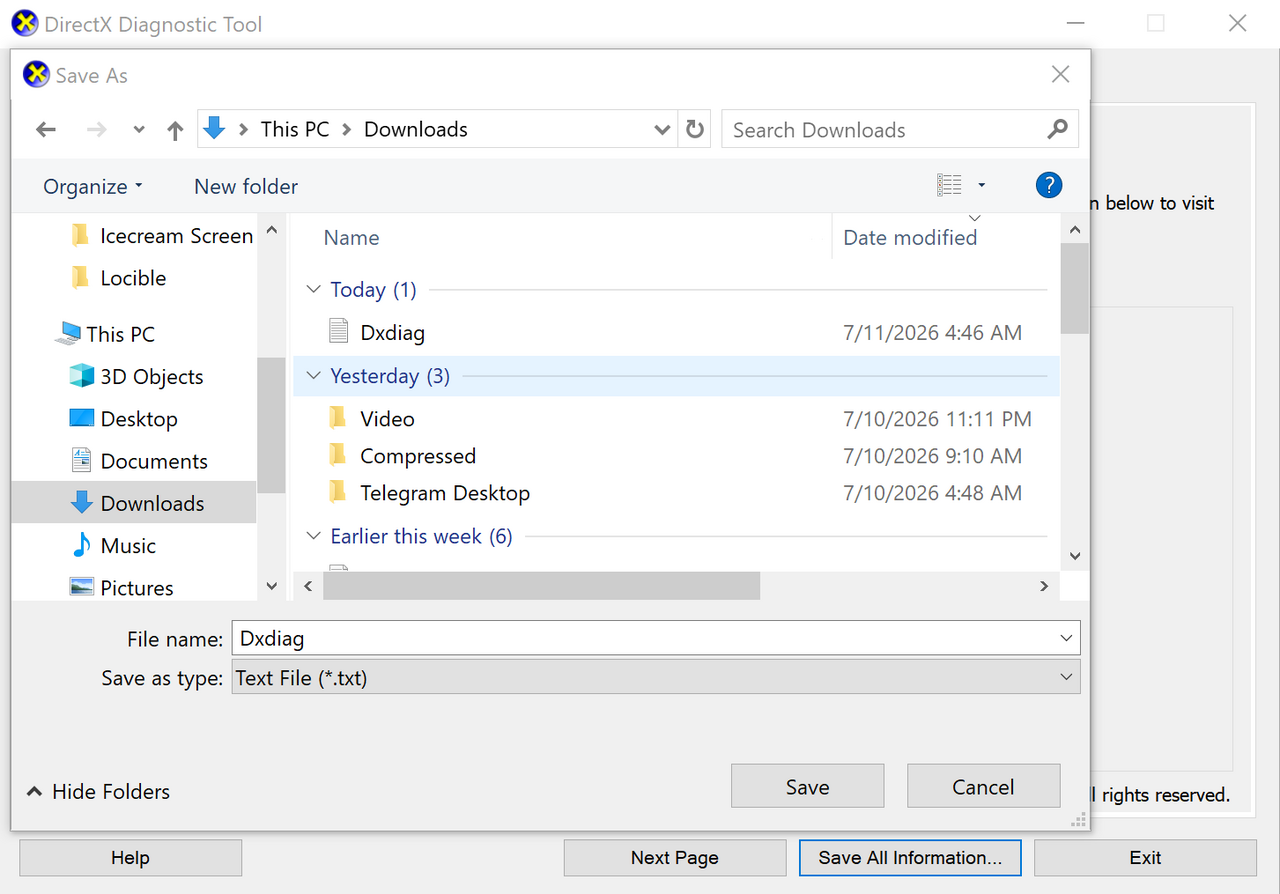
3Save the report as Dxdiag.txt
Click Save All Information and save the text file as Dxdiag.txt.
-
 4
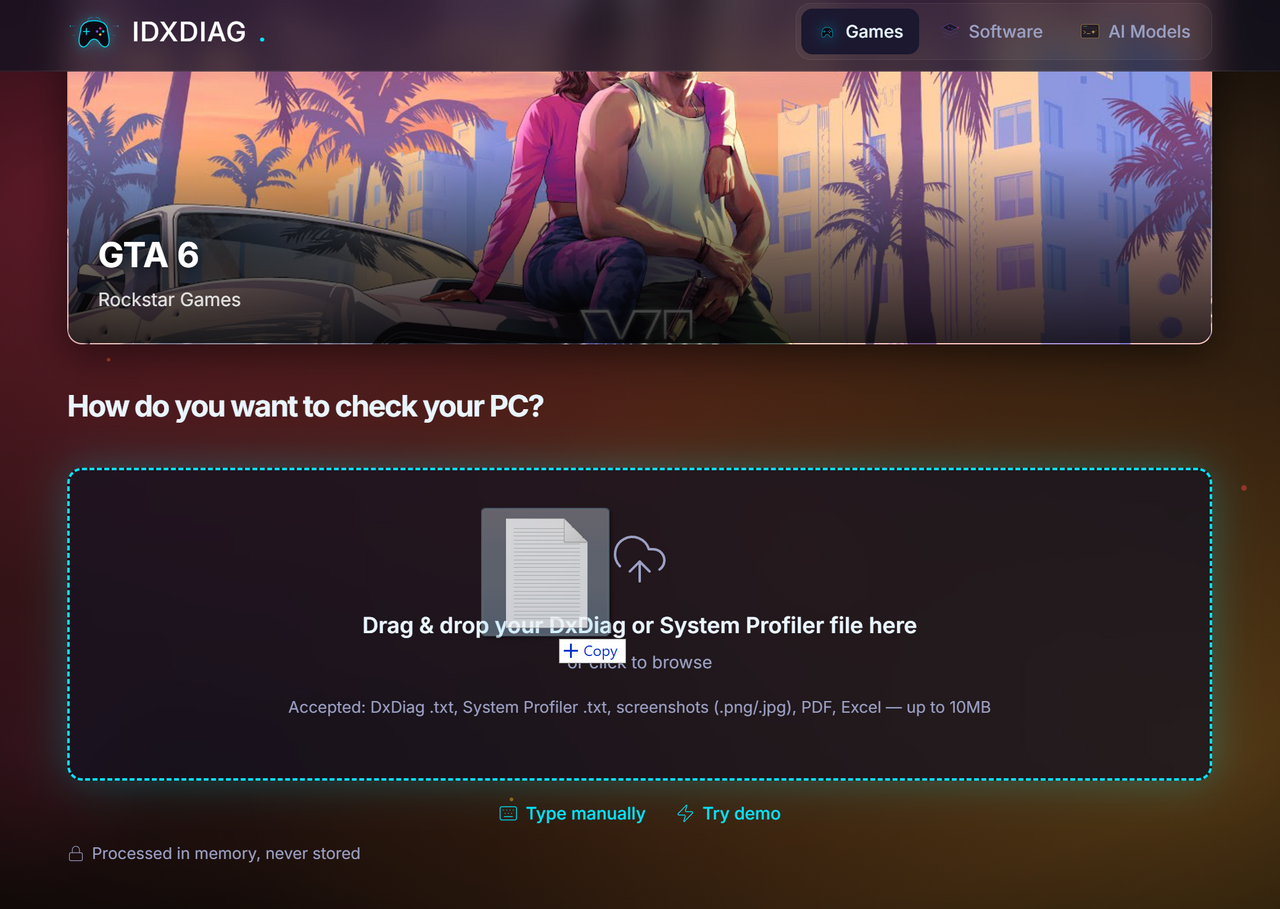
4Drop the file into idxdiag
Drag the saved file into the drop zone below, or click to browse for it.
-
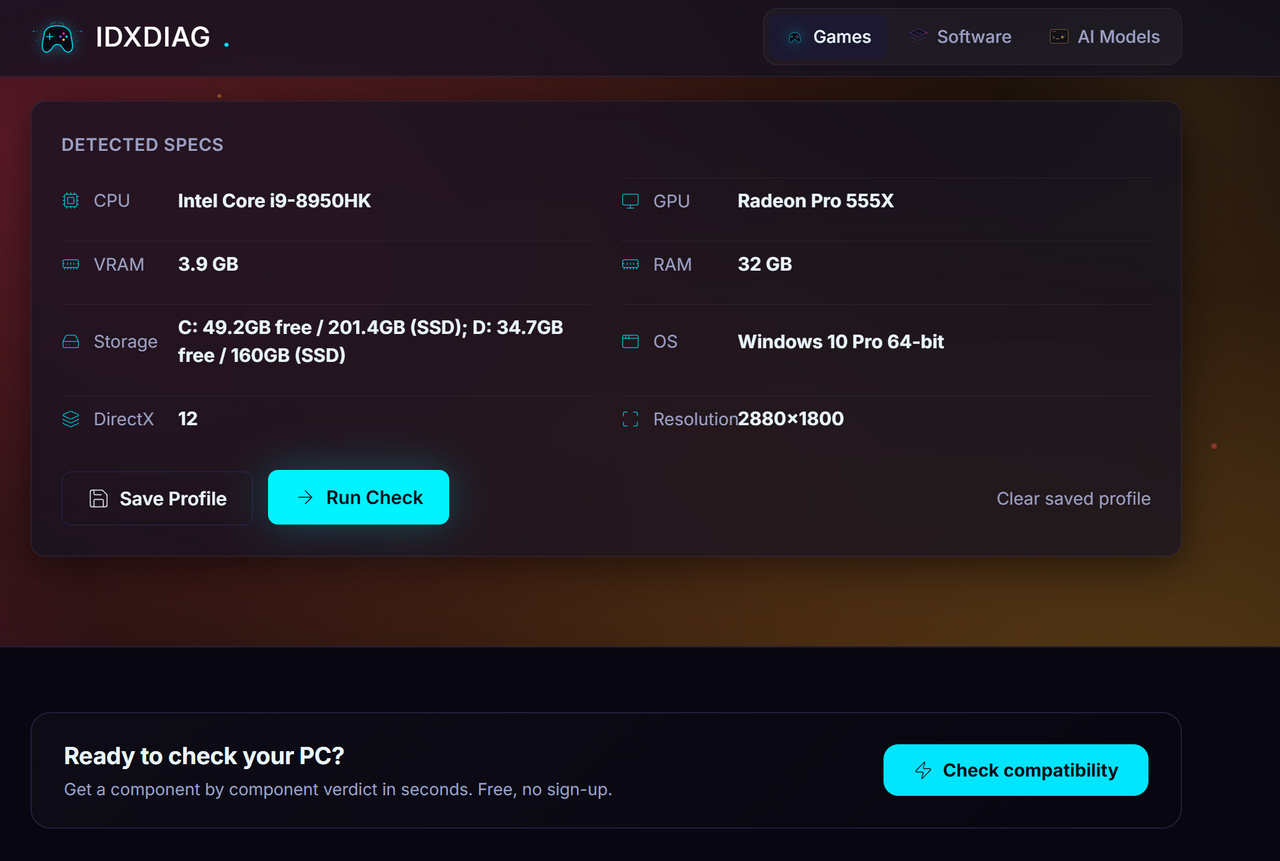 5
5See your specs and run the check
See your detected specs, then click Run Check for a component by component verdict.
Check any PC game against your real hardware
Idxdiag tells you whether your computer can run a specific game before you buy it. Search a title, give us your specs, and get a clear verdict in seconds, broken down by graphics card, processor, memory, video memory, and storage.
Every verdict is calculated from published benchmark data, not guesswork. We weigh each component by how much it matters, then turn that into one readiness percentage. The same PC and the same game always give the same answer, and every number traces back to the requirement it came from.
Popular right now
Browse allWhy Idxdiag?
Recently added Live
Browse allBrowse by category
What we do best
Idxdiag checks your PC straight from a DxDiag report, so you never need to know your own parts. It looks up requirements live as you search, so brand new games are covered the day they arrive. It scores laptops and handhelds honestly, against real mobile benchmarks instead of the desktop chips they borrow their names from. And it reaches past games to creative software and local AI models, checking all three against the same hardware you already own.
Popular hardware questions
Frequently asked questions
Can my laptop run Cyberpunk 2077?
It depends on your laptop graphics chip, processor, and memory. Search Cyberpunk 2077, upload your dxdiag report, and Idxdiag scores your laptop parts against the game and gives a clear readiness percentage. We score laptop graphics against laptop benchmarks, so the verdict reflects real mobile performance.
Is my GPU good enough for GTA 6?
Idxdiag compares your graphics card against the requirements we have on file and shows the gap as a percentage. Because a game can change its requirements before release, we mark provisional numbers clearly and update them the moment official specs arrive.
Do you store my DxDiag file?
No. Your file is read in memory to extract your specs, then it is discarded. Nothing is kept in long term storage and no account is required.
How accurate is the verdict?
We use published benchmark scores for your exact parts and the stated requirements of the game. The score is deterministic, so it is repeatable and transparent, and every component shows the math behind its result.
What if the game is not in your catalog?
Search still works. When a title is missing, our AI lookup retrieves the official requirements from the web and clearly marks anything it could not verify, so you always know how solid the numbers are.
Do I need to install anything?
No. Idxdiag runs in your browser. You only need your dxdiag report or your system details, which you can gather in about a minute.
See it in action
Click below to see a live verdict. We'll load a sample mid-range gaming PC and check it against Cyberpunk 2077's requirements.
Popular system requirement checks
Browse all- Hitman: Absolution system requirements
- Arsica: Echoes of Ars system requirements
- Angels Fall First system requirements
- Hitman: World of Assassination system requirements
- Nuclear Option system requirements
- Clutch system requirements
- Hello Neighbor system requirements
- Ultrakill system requirements
- Fallout: New Vegas system requirements
- Assetto Corsa system requirements