
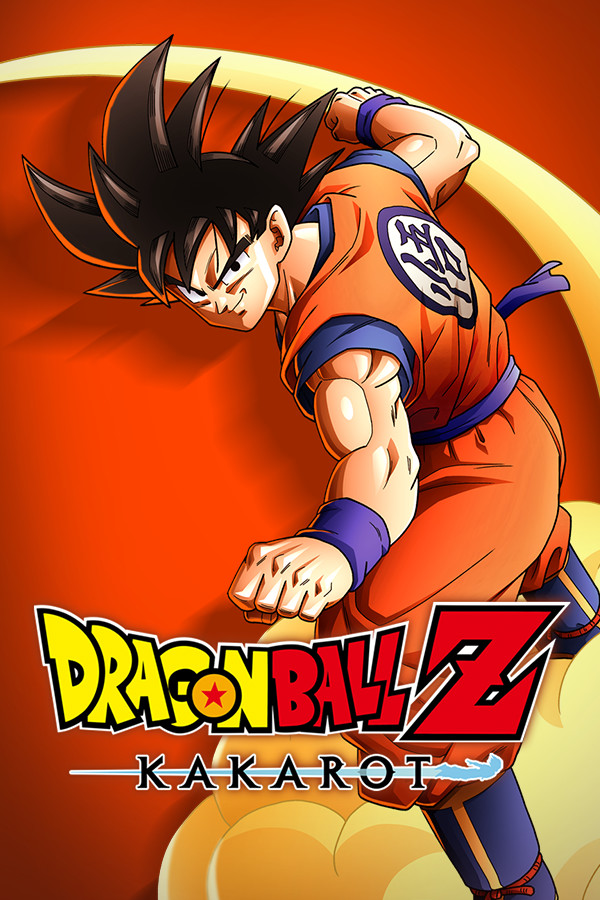
Can I Run Dragon Ball Z: Kakarot?
CyberConnect2 Co. Ltd. released Dragon Ball Z: Kakarot in 2020. It is an action role playing game, published by Bandai Namco Entertainment Inc.. It offers a single player campaign. Progress follows the account through Steam Cloud rather than sitting on one disk. Steam lists support for 15 languages. Metacritic places it at 73. It carries 42 achievements. It handles controllers properly rather than leaving the player to bind buttons by hand. Over 43 thousand players have left a Steam review, so this is a title whose performance is widely reported. The game ships for Windows alone. At 6 years old it targets an older hardware baseline than most buyers now own.
Can your PC run it? →System requirements
Minimum requirements
| CPU | Intel Core i5-2400 or AMD Phenom II X6 1100T |
|---|---|
| GPU | GeForce GTX 750 Ti or Radeon HD 7950 |
| RAM | 4 GB |
| Storage | 36 GB |
| OS | Windows 7 SP1 64-bit |
| DirectX | 11 |
Recommended requirements
| CPU | Intel Core i5-3470 or AMD Ryzen 3 1200 |
|---|---|
| GPU | GeForce GTX 960 or Radeon R9 280X |
| RAM | 8 GB |
| Storage | 40 GB |
| OS | Windows 10 64-bit |
| DirectX | 11 |
Verified from Steam · 9 Jul 2026 source
Scores are deterministic, computed by fixed rules and benchmark tables, not written by an AI. How we score. Maintained by Farhad Ali. Spotted a wrong specification? Tell us.
Setting and environment
Dragon Ball Z: Kakarot places its action in an anime styled world, and the player works through one continuous open world. There are 10 official screenshots to judge the look from. The view is from a third person view. Continuous worlds put sustained pressure on memory and storage, and Dragon Ball Z: Kakarot can never assume the player will stop and let it load.
Why Dragon Ball Z: Kakarot is demanding
Very little is asked of the GPU by Dragon Ball Z: Kakarot. GeForce GTX 960 or Radeon R9 280X scores low against the RTX 3060, putting Dragon Ball Z: Kakarot within reach of laptop and integrated graphics. At 8 GB, system memory is undemanding. The distance between minimum and recommended is wide, so Dragon Ball Z: Kakarot at the floor and Dragon Ball Z: Kakarot at the recommended tier are not the same experience. A 64 bit version of Windows is required. Dragon Ball Z: Kakarot takes about 40 GB of disk space.
This reading comes from the published requirements and our own benchmark tables, not from the store listing.
Can you run Dragon Ball Z: Kakarot?
Older hardware holds up here: Dragon Ball Z: Kakarot runs on modest graphics, with GeForce GTX 750 Ti or Radeon HD 7950 enough to meet the minimum. Add 4 GB of RAM and a mid-range CPU and a PC several years old will play it fine.
Bottleneck: GPU
Projected by resolution
| Resolution | Projection | Headroom |
|---|---|---|
| 1080p | Comfortable | 2.83x |
| 1440p | Runs well | 1.59x |
| 4K | Below the bar | 0.71x |
A projection, not a measurement. We scale the published GPU requirement by pixel count, since 1440p draws 1.78 times the pixels of 1080p and 4K draws 4 times as many, then compare against RTX 3060 / Ryzen 5 build. The publisher did not state a target resolution, so 1080p is assumed as the baseline. We hold no frame rate data, so no FPS figure is claimed. Headroom above 1 means the reference machine has room to spare at that resolution.
Common GPUs
| Graphics card | Verdict |
|---|---|
| GTX 1060 6 GB | Runs great |
| GTX 1060 Laptop | Runs great |
| GTX 1650 4 GB | Runs great |
| GTX 1650 Laptop | Runs great |
| RTX 2060 6 GB | Runs great |
| RTX 2060 Laptop | Runs great |
| RTX 3060 12 GB | Runs great |
| RTX 3060 Laptop | Runs great |
| RTX 4060 8 GB | Runs great |
| RTX 4060 Laptop | Runs great |
| RTX 3070 8 GB | Runs great |
| RTX 3070 Laptop | Runs great |
| RTX 4070 12 GB | Runs great |
| RTX 4070 Laptop | Runs great |
| RX 6600 8 GB | Runs great |
Each card is compared against Dragon Ball Z: Kakarot's published GPU requirement, assuming an otherwise-capable PC. Laptop rows use the real mobile chip's benchmark, a mobile GPU is always slower than its desktop namesake.
Similar games you can run
 Cyberpunk 2077
 Grand Theft Auto V
 Red Dead Redemption 2
 Baldur's Gate 3
 The Witcher 3: Wild Hunt
 DOOM Eternal
Frequently asked questions
Can my PC run Dragon Ball Z: Kakarot?
Upload your DxDiag file to Idxdiag's free checker and get a component by component compatibility verdict for Dragon Ball Z: Kakarot in seconds. No install required.
What are the minimum system requirements for Dragon Ball Z: Kakarot?
The minimum requirements are CPU: Intel Core i5-2400 or AMD Phenom II X6 1100T; GPU: GeForce GTX 750 Ti or Radeon HD 7950; 4 GB RAM; OS: Windows 7 SP1 64-bit.
How much storage does Dragon Ball Z: Kakarot need?
Dragon Ball Z: Kakarot needs about 36 GB of available storage.
Can an RTX 3060 run Dragon Ball Z: Kakarot?
The RTX 3060 runs Dragon Ball Z: Kakarot comfortably, clearing the title's GPU requirement with room to spare.
What is the bottleneck for Dragon Ball Z: Kakarot?
On a typical modern PC (Ryzen 5 5600, RTX 3060, 16 GB RAM), the tightest component for Dragon Ball Z: Kakarot is the GPU.